freebeat AI
Create AI-generated videos with ease
Learn this stack in Academy
Get implementation playbooks for tools like freebeat AI in guided Academy lessons. Start free, then unlock the full library with Learner.
Open Academy →Product Demo Video
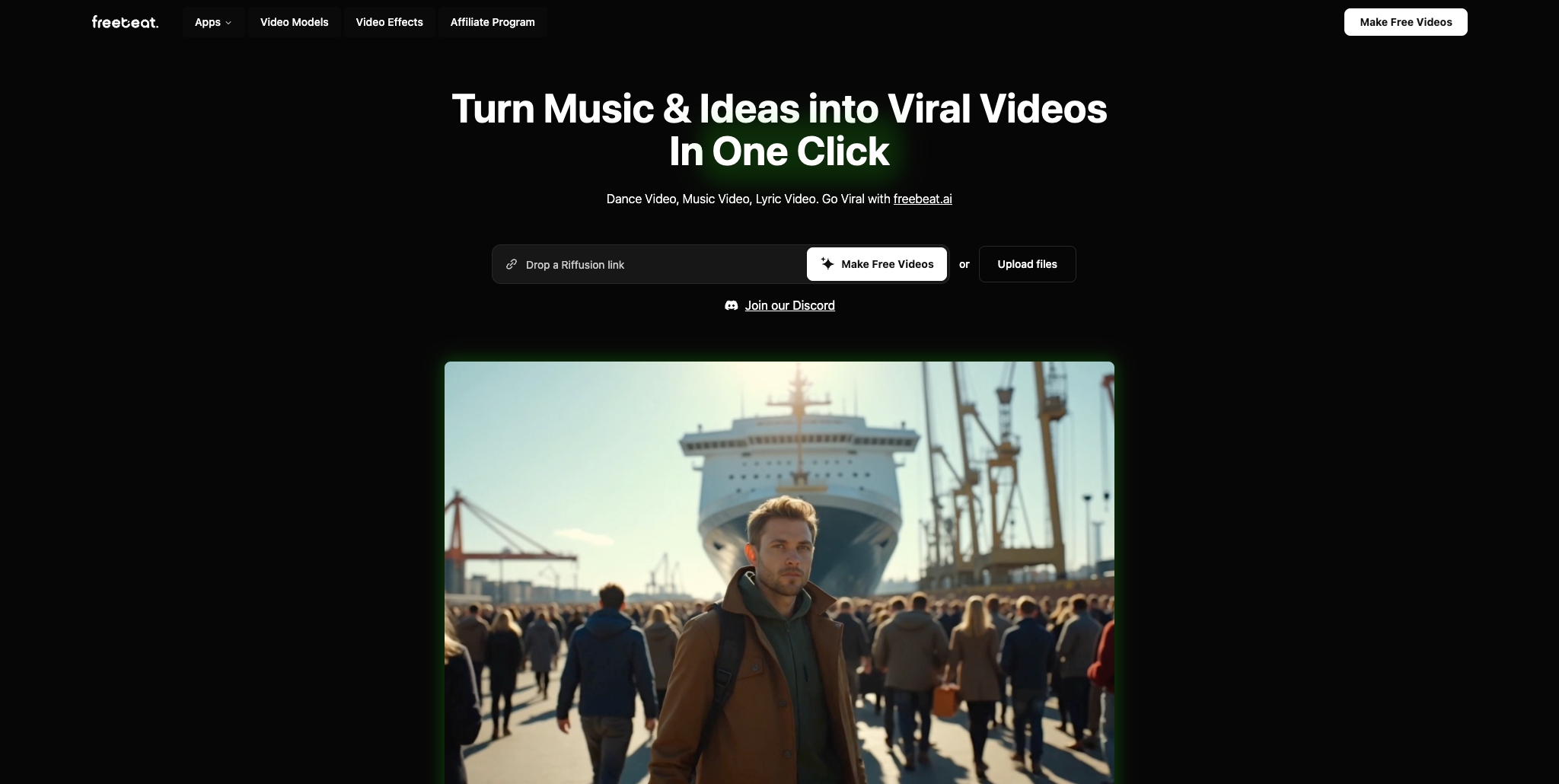
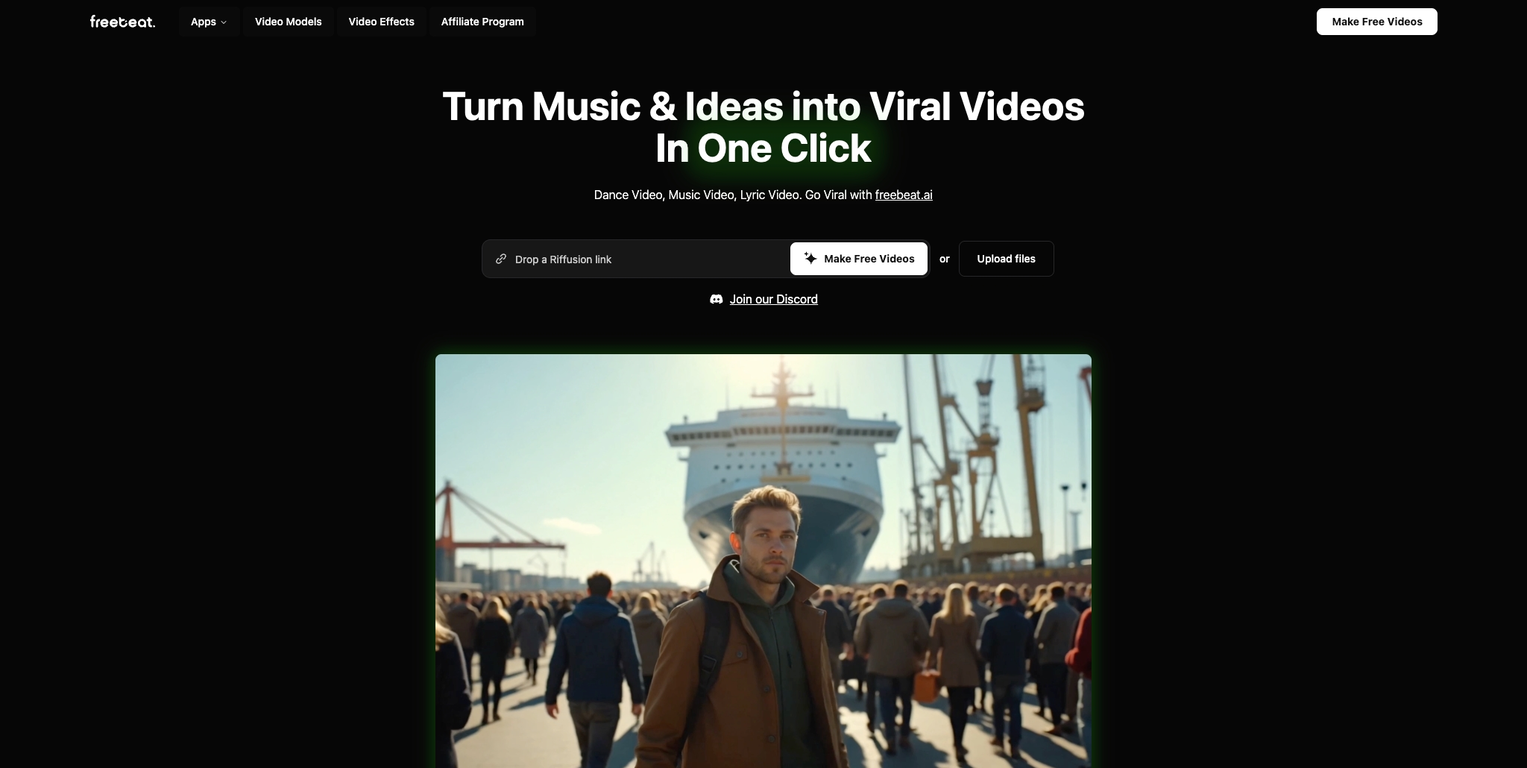
Screenshots


Distribution Score: 41/100 What is this? ⓘ
What is freebeat AI?
Overview Socials: freebeat.ai V10.0: Onbeat Effects, Top-Tier Models, and Smarter Creation Modes Hey creators! 🎬 freebeat V10.0 is here, led by Onbeat, our signature AI music video effects library built for music-first creation. Alongside it, we’ve added more top-tier models, more creative modes, smarter prompt optimization, and a smoother UI to help you turn songs into standout videos even faster. --- 🔥 The Upgrade 🎵 Onbeat – AI Music Video Effects That Move With the Beat Onbeat is our signature AI music video effects library, packed with the kinds of visual effects creators actually use in real music videos. - Choose from a growing set of beat-driven effects designed for drops, transitions, and impact moments. - Add high-energy MV visuals without complicated editing or manual timing. - Turn any track into something more dynamic, more stylized, and more scroll-stopping. --- 🎬 Multiple Creative Modes – Different Ways to Bring Music to Life freebeat now gives you more ways to create depending on the kind of video you want to make. - Singing Mode: create lip-sync performances with accurate mouth movements, even in dynamic scenes, so vocals stay believable from close-ups to performance-heavy shots. - Storytelling Mode: automatically plans a story concept based on the song’s structure, mood, and style, then directs matching visuals for each section. - Abstract Mode: generate stylized, atmospheric, and non-literal visuals for mood-driven or artistic music videos. - Onbeat Mode: focus on rhythm-forward visuals and impactful effects that sync with the track. --- ⚡️ Top-Tier Models – More Power Across Video, Image, and Music We’ve expanded the model stack behind freebeat with some of the hottest models available right now. - Video: Kling 2.6 Pro, PixVerse V6, Wan 2.6, OmniHuman 1.5, and Kling Motion Control - Image: Flux 2 Pro, Z-Image Turbo, and Qwen Image Edit - Music: Minimax Music v2.5, Suno V5, and Mureka V8 This means stronger motion, better visual quality, more control, and more creative options in one place. --- 🧠 Smarter Workflow – Better Prompts, More Control, Cleaner UI - One-Click Prompt Optimization helps turn rough ideas into stronger prompts instantly. - Expert Mode gives advanced users more control when they want to fine-tune results. - Updated UI makes the whole creation flow smoother, faster, and easier to navigate. --- ⚡️ Why It Matters - Build music videos with the rhythm, energy, and visual impact real tracks deserve: Onbeat gives you rhythm-first effects that make songs hit harder visually. - Choose the right creative path for each track: whether you want accurate lip-sync, story-driven scenes, or abstract visuals, the right mode is ready for the job. - Get more from every prompt: with stronger models, smarter optimization, and better controls, you spend less time troubleshooting and more time creating. --- 🌟 Your AI Film Crew, Built for Music With Onbeat, multiple creative modes, top-tier models, and a smarter workflow, freebeat V10.0 gives you more ways to turn sound into visuals that feel intentional, expressive, and ready to share. 👉 www.freebeat.ai → Your first video is free! Music in. Vision out. Key Features Ai Video Generator Image To Video Ai Image Generator Ai Music Video Ai Mv Agent Ai Video Agent Show more
- Agent
Release History

freebeat AI 🔥 freebeat V10.0 introduces Onbeat effect, new creation modes, top-tier models, and a smarter creation workflow. What’s New 🎵 Onbeat – An AI music video effects library with beat-driven visuals designed for drops, transitions, and high-impact MV moments. 🎬 Multiple Creative Modes – - Singing for accurate lip-sync performance videos, even in dynamic scenes - Storytelling for AI-directed story concepts based on song structure and style - Abstract for mood-driven, artistic visuals - Onbeat for rhythm-synced effect-heavy creation ⚡️ Top-Tier Models - Video: Kling 2.6 Pro, PixVerse V6, Wan 2.6, OmniHuman 1.5, Kling Motion Control - Image: Flux 2 Pro, Z-Image Turbo, Qwen Image Edit - Music: Minimax Music v2.5, Suno V5, Mureka V8 🧠 Workflow Upgrades One-click prompt optimization, Expert Mode, and a refreshed UI How It Works 1. Upload your track from Spotify, YouTube, SoundCloud, TikTok, or a local file. 2. Choose your creative mode, such as Singing, Storytelling, Abstract, or Onbeat. 3. Add your prompt, or let one-click prompt optimization strengthen it for you. 4. Generate your video with upgraded models and rhythm-aware effects, then customize or regenerate story concepts and scene clips to refine the final result your way. Why It Matters V10.0 makes freebeat more powerful where it counts: stronger rhythm-driven visuals, more accurate lip-sync, better creative direction, more advanced models, and more control for every kind of creator. Whether you want performance-led videos, story-driven scenes, or stylized abstract visuals, freebeat gives you a faster path from song to finished video. 👉 Try it now – Your first video is free: www.freebeat.ai 7 0
freebeat AI 🔥 Freebeat V9.9 introduces Lyric Video & AI Captions, Gallery Remix and our biggest Cyber Week discount yet. --- What’s New - 🎞️ Gallery Remix – Explore public projects, draw inspiration, and one-click remix styles, characters, and music setups. - 💬 Lyrics Video & AI Captions – Add dynamic, beat-synced subtitles with customizable fonts, effects, and animation presets. - 💸 Cyber Week Deal – Up to 65% OFF Pro and Standard annual plans until Dec 7, 2025, 23:59. --- How It Works 1. Upload your track — drop in music from Spotify, YouTube, SoundCloud, TikTok, or a local file. 2. Describe your vision — type a simple prompt to set the mood, style, or visual direction, or jump into Gallery Remix to grab inspiration and one-click reuse styles, characters, or prompts from the community. 3. Enhance with lyrics — add dynamic AI captions or fully customized lyric visuals to make your story clearer and more expressive. 4. Watch the magic unfold — our AI generates your looping cover or music video, synced to your beat and ready to share anywhere. --- Why It Matters V9.9 connects creators, adds a new dimension of visual storytelling, and makes high-end creativity more affordable than ever. 👉 Try it now – Your first video is free: www.freebeat.ai 9 2
freebeat AI 🔥 Freebeat V9.8 introduces the AI Music Cover Generator Agent, slashes prices across major features, and integrates Vidu Q1 for multi-subject consistency. --- What’s New - 🎨 AI Music Cover Generator Agent - One-click animated covers synced to your music. - Loop animations for immersive, atmospheric visuals. - Multi-platform exports (Apple Music 1:1 & 3:4, Spotify Canvas 9:16). - Beat-aware generation for rhythm-matched visuals. - Multiple style presets: minimal, hand-drawn, neon, futuristic, and more. - 💸 Lower Prices - Agent features: now up to 40% cheaper, a significant drop for creators. - PixVerse V5: up to 40% off, covering Music Video, Text-to-Video, and Image-to-Video. - Nano Banana: major price cut across image generation and image editing. - ✨ Vidu Q1 Integration - Subject consistency for up to 7 characters in a single video. --- How It Works 1. Upload your track — drop in your music from Spotify, YouTube, SoundCloud, TikTok, or even a local file. 2. Describe your vision — type a simple prompt to set the mood, vibe, or visual style. 3. Watch the magic unfold — our AI instantly generates a looping video that moves with your beat, ready to share anywhere. --- Why It Matters V9.8 makes professional music branding and video creation easier, cheaper, and more powerful. From eye-catching animated covers to multi-character storytelling, creators now have the tools to grow their audience and stand out on every platform. 👉 Try it now – Your first cover or video is free: www.freebeat.ai 32 8
freebeat AI 🔥 Freebeat V9.7 introduces Video-to-Music generation. Upload any video and get a soundtrack automatically composed to match its visuals, with full creative control and flexible export options. ---- What’s New - 🎥 Video-to-Music: Upload a video and generate a soundtrack tuned to its rhythm and style. - 🎶 Style & Reference Options: Select genre & mood, or guide with a reference track. - 📝 Lyric Workflow: Edit or approve AI-drafted lyrics before final music generation. - 🎼 Export Flexibility: Get a full bundle (lyrics file, track, and synced video) or download each asset separately. - ⚡ Track Variations: Generate up to 3 soundtrack options at once. ---- How It Works 1. Upload your video. 2. Add a prompt, genre/mood, or optional reference track. 3. Review and edit lyrics. 4. Generate → Download your bundle or individual assets. ---- Why It Matters V9.7 turns video soundtracking into a one-click process. Whether you want speed, creative control, or pro-ready exports, freebeat.ai gives you everything in one place — music that fits your video perfectly. 👉 Try it now! Your first soundtrack is free: www.freebeat.ai 23 6
freebeat AI 🔥 Freebeat V9.6 introduces Character Lock and launches our new mobile version. Together, these upgrades give creators the ability to feature consistent characters — from pets and cartoons to celebrities and custom uploads — as well as the freedom to create seamlessly on any device. --- What’s New 👤 Character Lock: Maintain character consistency across the full video. - Any Character: Pets, cartoons, celebrities, or custom avatars all stay consistent. - Custom or Preset: Upload your own images or choose from 30+ (and growing) ready-made roles. - Dual Support: Keep two characters stable together in the same video. - Total Stability: Outfits, actions, environments, and camera angles remain rock-solid from start to finish. 📱 Mobile Version: Access freebeat.ai on the go through a sleek, optimized web experience. No downloads required — just open your browser and start creating. --- How It Works 1. Paste your music link (Spotify, YouTube, SoundCloud, TikTok, Suno, Udio, Riffusion, or local files). 2. Upload or select your characters. 3. Lock them → Generate a consistent, character-driven video. --- Why It Matters V9.6 makes storytelling reliable and expressive. Characters no longer drift or change mid-video — they stay consistent across every frame, even when using two characters side by side. And with mobile access, you can generate polished, professional-quality music videos anytime, anywhere. 👉 Try it now – Your first video is free: www.freebeat.ai 23 4
freebeat AI 🔥 Freebeat V9.5 unlocks exclusive early access to Pixverse V5, upgrading our Image-to-Video, Text-to-Video, and Music-to-Music Video modules. With V5 powering the core, you now get sharper visuals, smoother motion, higher fidelity, and faster generation than ever. What’s New - 🌌 Pixverse V5 Early Access: Experience next-gen AI video power before it hits the mainstream. - 🎥 Image-to-Video: Animate still images into fluid video. - ✍️ Text-to-Video: Generate rich scenes from natural language prompts. - 🎶 Music-to-Music Video: Create music videos directly from your tracks with improved motion sync and accuracy. How It Works 1. Paste your music link (Spotify, YouTube, SoundCloud, TikTok, Suno, Udio, Riffusion, local files, etc.). 2. Let the AI storyboard your video. 3. Select your mode — Image, Text, or Music → Hit Generate. Why It Matters Pixverse V5 raises the bar for AI video generation — sharper visuals, lifelike motion, stronger consistency, and faster results. With V9.5, freebeat.ai gives creators exclusive early access to the future of cinematic AI. 👉 Try it now – Your first video is free: www.freebeat.ai 22 2
freebeat AI V9.4 introduces exclusive early access to Nano Banana (Gemini 2.5 Flash Image model) along with expanded style control for the AI Music Video Agent. Creators now get cutting-edge editing features and the freedom to design videos in virtually any aesthetic. What’s New - 🍌 Nano Banana Early Access - Multi-Image Fusion for richer scenes - Character & Style Consistency across edits - Prompt-Based Editing with natural language commands - 🎨 Agent Style Control - One-click presets covering the most popular aesthetics - Free-text custom prompts for unlimited originality - Support for dozens of styles — from photorealistic to anime, cyberpunk, claymation, Y2K, pixel art, and more How It Works 1. Paste your music link (Spotify, YouTube, SoundCloud, TikTok, Suno, Udio, Riffusion, local files, etc.). 2. Let the Agent storyboard your video. 3. Choose a preset or type your own prompt → Hit Generate. Why It Matters Nano Banana unlocks next-gen editing, while style control puts creators in the driver’s seat. With V9.4, music video generation is not just faster and smarter. It’s fully yours to design. 👉 Try it now – Your first video is free: www.freebeat.ai 9 1
freebeat AI Changelog – freebeat.ai V9.3 Release Date: 2025-08-27 🔥 Summary Version 9.3 introduces a major upgrade to the AI Music Video Agent, with improvements spanning six technical dimensions and six creative scenarios. Music videos are now more polished, cinematic, and reliable than ever. ⚡ What’s New Six Technical Enhancements: - Improved instruction alignment for more accurate outputs - More natural and fluid dynamic motion - Higher visual fidelity with ultra-HD rendering upgrades - Greater consistency in subjects and styles - Faster generation speed for quicker turnaround - Stronger efficiency and value for creators 🌟 Six Creative Scenarios Enhanced: - Human motion: realistic everyday and athletic movements - Anime / 2D: sharper, more consistent characters and IP fidelity - Pets & anthropomorphic figures: detailed textures and smooth behaviors - Advertising: clear visuals, stable text, and product-ready quality - Sci-Fi & VFX: richer environments and lively group scenes - Art & performance: lifelike instrument handling, vivid color, and consistency 🎬 How It Works 1. Paste your music link (Spotify, YouTube, SoundCloud, TikTok, Suno, or local file). 2. Let the AI Agent storyboard your video. 3. Generate with one click — now dramatically upgraded. 🎥 Why It Matters V9.3 sets a new benchmark for AI music video creation. It’s faster, sharper, more consistent, and designed to unlock professional-grade storytelling for every creator. 👉 Try it now – Your first video is free: www.freebeat.ai 8 0
Monthly billing.
SEOGANT Expert Verdict
Overview Socials: freebeat.ai V10.0: Onbeat Effects, Top-Tier Models, and Smarter Creation Modes Hey creators! 🎬 freebeat V10.0 is here, led by Onbeat, our signature AI music video effects library built for music-first creation. Alongside it, we’ve added more top-tier models, more creative modes, smarter prompt optimization, and a smoother UI to help you turn songs into standout videos even faster. --- 🔥 The Upgrade 🎵 Onbeat – AI Music Video Effects That Move With the Beat Onbeat is our signature AI music video effects library, packed with the kinds of visual effects creators actually use in real music videos. - Choose from a growing set of beat-driven effects designed for drops, transitions, and impact moments. - Add high-energy MV visuals without complicated editing or manual timing. - Turn any track into something more dynamic, more stylized, and more scroll-stopping. --- 🎬 Multiple Creative Modes – Different Ways to Bring Music to Life freebeat now gives you more ways to create depending on the kind of video you want to make. - Singing Mode: create lip-sync performances with accurate mouth movements, even in dynamic scenes, so vocals stay believable from close-ups to performance-heavy shots. - Storytelling Mode: automatically plans a story concept based on the song’s structure, mood, and style, then directs matching visuals for each section. - Abstract Mode: generate stylized, atmospheric, and non-literal visuals for mood-driven or artistic music videos. - Onbeat Mode: focus on rhythm-forward visuals and impactful effects that sync with the track. --- ⚡️ Top-Tier Models – More Power Across Video, Image, and Music We’ve expanded the model stack behind freebeat with some of the hottest models available right now. - Video: Kling 2.6 Pro, PixVerse V6, Wan 2.6, OmniHuman 1.5, and Kling Motion Control - Image: Flux 2 Pro, Z-Image Turbo, and Qwen Image Edit - Music: Minimax Music v2.5, Suno V5, and Mureka V8 This means stronger motion, better visual quality, more control, and more creative options in one place. --- 🧠 Smarter Workflow – Better Prompts, More Control, Cleaner UI - One-Click Prompt Optimization helps turn rough ideas into stronger prompts instantly. - Expert Mode gives advanced users more control when they want to fine-tune results. - Updated UI makes the whole creation flow smoother, faster, and easier to navigate. --- ⚡️ Why It Matters - Build music videos with the rhythm, energy, and visual impact real tracks deserve: Onbeat gives you rhythm-first effects that make songs hit harder visually. - Choose the right creative path for each track: whether you want accurate lip-sync, story-driven scenes, or abstract visuals, the right mode is ready for the job. - Get more from every prompt: with stronger models, smarter optimization, and better controls, you spend less time troubleshooting and more time creating. --- 🌟 Your AI Film Crew, Built for Music With Onbeat, multiple creative modes, top-tier models, and a smarter workflow, freebeat V10.0 gives you more ways to turn sound into visuals that feel intentional, expressive, and ready to share. 👉 www.freebeat.ai → Your first video is free! Music in. Vision out. Key Features Ai Video Generator Image To Video Ai Image Generator Ai Music Video Ai Mv Agent Ai Video Agent Show more
Distribution score of 41/100 reflects current channel strength and concentration risk. We recommend freebeat AI for teams prioritizing repeatable distribution over one-off growth spikes.
Similar AI Tools
Founder

Comments (0)
Sign in to join the discussion.